Onoco - Shareable Baby tracker
- 4.4
- Rating
- 10.00K
- Installs
- Free
- Price

 Analysis by App-foxy
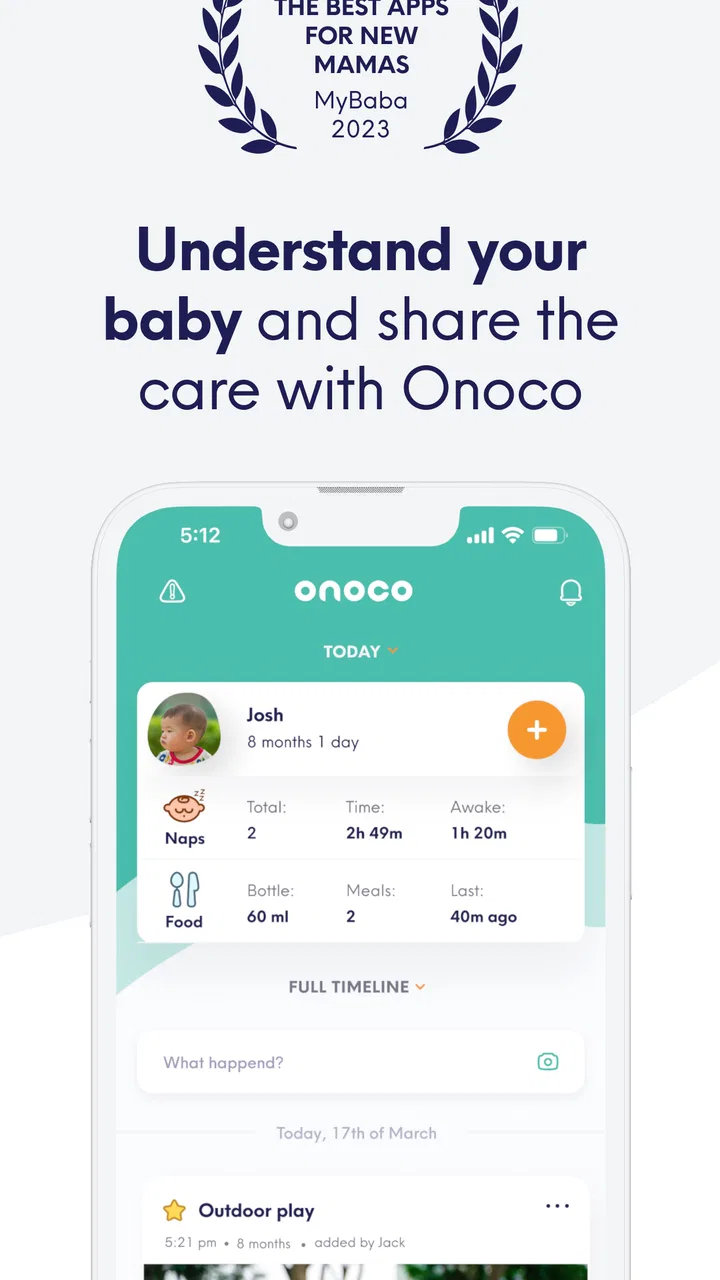
When life with a baby starts to feel like a stream of half-remembered naps, feeds, changes, and handovers, a shared tracker can make the day easier to understand. I spent time with Onoco as a parenting app from Onoco Limited, and my overall impression is that it is most useful when more than one person needs the same picture of a child’s routine. It is not simply a private log on one phone; its appeal is the combination of baby tracking, family organisation, development planning, and scheduling in one place.
The important distinction is that this is not an app I would recommend just because tracking sounds responsible. Recording everything can become another job when you are tired. Onoco works best when the information you enter helps someone make a practical decision later: whether the baby is likely to be ready for a nap, what happened during the previous handover, or which part of the routine needs attention. If you approach it as a shared memory aid rather than a demand to document every minute, the experience feels much more manageable.
What to expect when you begin
The app is free to download, although it includes optional purchases ranging from $8.99 to $59.99 per item. That makes the first step relatively low-risk: you can explore the basic experience before deciding whether the additional paid options suit your household. It is rated for Everyone, and it supports Android devices running version 7.0 or later. The current release is 1.21.1, so compatibility is worth checking before installation if you are using an older phone.
You May Also Like

 Blood Strike: 2.5 Anniversary
Blood Strike’s Loadouts Turn Every Drop Into a Tactical Gamble
A close look at Blood Strike’s custom loadouts: how fast access to signature weapons reshapes its battle royale rhythm, rewards preparation, and narrows the gap between fights.

 Pandora - Music & Podcasts
Pandora’s Music Is Easy to Start, but Harder to Recover
Pandora’s strength is its low-effort path from a seed to a station. Its weak spot is how much confidence it asks you to place in connection, setup, and quiet recovery.

 8 Ball Pool
 Is Built on Rivalries, Rematches, and Routine
A close look at the rivalries, rematches, shared routines, and unanswered safety questions that turn a quick pool match into a persistent mobile community.

 Samsung Music
’s Quiet Strength Is Playing What You Already Own
Its reach comes less from spectacle than from dependable access to a personal library. That simplicity is both the app’s strongest retention engine and its ceiling.

 AccuWeather: Weather Radar
AccuWeather Review: A Quick, Clear Forecast for Everyday Decisions
For everyday plans, the best forecast is the one you can understand quickly. AccuWeather makes rain timing, radar, and local conditions easy to act on, with a few trade-offs.

 Hill Climb Racing
Why Hill Climb Racing Still Turns Crashes Into One More Run
A tiny car, a bumpy hill and one more upgrade: Hill Climb Racing keeps resurfacing because its simple chaos makes every near-miss feel personal.
More From Our News Desk



Onoco has built a respectable user base, with over 10 thousand installs and a 4.4 average from more than 400 ratings. I would not treat those figures as proof that it will fit every family, but they do suggest that the central idea is easy for many parents and carers to understand. The app’s store presence is brief, so the real value becomes clearer once you think about how you want to use it during an ordinary day.
My advice is to decide on one purpose before opening it. For a first-time user, that purpose might be keeping both parents aware of sleep and feeding, coordinating care between home and nursery, or noticing patterns before discussing them with a health professional. Choosing one goal prevents the setup from turning into a large project. You can add more detail later if the first workflow proves useful.
The strongest use case is a household where responsibility moves between people. Imagine one parent handling the early morning while the other takes over after work. A quick shared record can answer questions that otherwise lead to guesswork: when did the baby last sleep, who handled the latest routine task, and what should happen next? That small reduction in repeated questions can be more valuable than a long list of charts.
It is less compelling for someone who wants a very lightweight personal timer and nothing else. If you only need a single reminder and dislike organising information, the broader family and development focus may feel like unnecessary structure. Likewise, parents who already have a routine that works on paper or in a simple notes app may not gain enough from moving their habits into a dedicated platform.
How I would approach the first setup
I would begin by creating the child’s profile and then inviting only the people who genuinely need access. That sounds obvious, but it is an important practical choice. A shared tracker becomes harder to trust when too many people enter information differently or when relatives are included even though they rarely participate in daily care. Start with the smallest useful group and expand only when there is a clear reason.
Next, agree on what counts as a completed entry. One carer may record an event immediately, while another may add several details later from memory. Neither approach is automatically wrong, but inconsistent habits make the timeline harder to interpret. A short family agreement helps: record key events close to the time they happen, use the same wording where possible, and avoid filling the app with details nobody will act on.
This is one of the less obvious trade-offs with a shareable tracker. The benefit comes from a common record, but the common record is only useful when the people sharing it have similar expectations. Before relying on it for handovers, I would test a simple event with another carer and check that both of you can understand what was entered. That trial is more useful than spending a long time configuring every possible category at the beginning.
Onoco’s wider design suggests a gradual setup rather than a one-session information dump. The store summary points to a baby tracker, family organiser, development plan, and smart baby schedule, so I would treat those as separate layers. Establish the everyday tracking habit first. Once that feels natural, explore planning and developmental tools. Trying to use all of them immediately can make a tired parent feel that the app is asking for too much.
There is also a useful privacy and attention consideration, even without turning setup into a technical exercise. Shared information should serve care, not become a source of constant checking. Decide who needs notifications or updates in practice, and keep the number of active participants sensible. If every small change prompts discussion, the app may create more noise than clarity.
The first meaningful success
The first success I would aim for is not a perfectly complete day. It is a smooth handover. One person records a meaningful routine event, another person checks it later, and the second carer can act without sending a message to reconstruct the morning. That is the point at which the app proves its value.
A realistic example would be a parent leaving for work while a grandparent takes over. Instead of explaining the entire morning verbally, the parent can leave the shared record in a state that shows what has already happened and what still needs attention. The grandparent does not need to know every detail of the previous day; they need a dependable snapshot of the current one. This is where Onoco feels more purposeful than a private notebook stored on one phone.
For this first test, I would record only the events that influence the next decision. If sleep affects the next rest period, record sleep. If feeding information matters to the next carer, record that. If a detail has no realistic effect on care, leave it out until you know you need it. The best first result is a clearer handover, not a fuller database.
After a few successful handovers, the scheduling side becomes more meaningful. A schedule should support judgement rather than replace it, because babies do not always follow a neat timetable. I would use the app to notice the shape of the day and prepare for likely transitions, while still treating the baby’s behaviour as more important than an expected time. This approach avoids the common trap of becoming anxious whenever real life differs from the plan.
The development planning element may also be useful when it gives parents a way to think about progress without turning development into a competition. I would use it as a prompt for observation and conversation, not as a scorecard. A plan can help you remember what you want to encourage or discuss, but it should not make an ordinary variation feel like a problem.
Where first-time users may get confused
The phrase “smart baby schedule” can create an expectation that the app will automatically know the perfect routine. I would be careful with that interpretation. A schedule is only as useful as the information and decisions around it, and babies can change their patterns quickly. The practical value is in bringing observations together and making the next step easier to consider, not in handing control over to an automatic timetable.
Another possible source of confusion is the difference between tracking and organising. Tracking answers, “What happened?” Organisation answers, “Who needs to know, and what happens next?” If you use Onoco only as a log, you may miss its strongest reason for existing. If you use it only as a planner without recording enough real events, the plan may not reflect your household’s actual rhythm.
Shared entries can also raise questions about accuracy. A late entry is not necessarily useless, but it should be understood as a recollection rather than a precise timestamp. When several carers contribute, I would pay attention to patterns that appear repeatedly instead of overreacting to one unusual entry. This is a sensible way to use any family tracker, and it matters especially when tiredness makes memory imperfect.
The optional purchase model deserves attention before you become dependent on a particular workflow. The app is free at the starting point, but some items cost money, and the listed range reaches $59.99. I would first identify which part of the free experience solves your actual problem. Then, if a paid feature promises to improve that specific routine, consider whether the time saved is worth the cost. Buying simply because a feature sounds comprehensive is less sensible than paying for a clear, repeated benefit.
There is a similar issue with data volume. More records can look more useful, but too much detail can make the important information harder to find. I recommend reviewing your entries after several days and removing habits that do not change anything. This is a concrete way to keep the app from becoming a second job. The tracker should reduce mental load, not measure your dedication as a parent.
Families may also wonder whether every carer needs the same level of involvement. In my view, no. One person may manage the overall routine, while another only needs enough access to check recent events during a shift. Trying to make every participant use every planning feature is likely to create resistance. Give each person a role that matches how they actually care for the child.
How it compares with simpler alternatives
A paper notebook has one major advantage: it is immediate, visible, and does not require anyone to learn an interface. For a single carer with a stable routine, paper can be perfectly adequate. Its weakness appears during handovers. A notebook may stay in one room, be difficult to read quickly, or lack the shared planning context that makes a digital record useful.
A basic notes app is more flexible and often faster for free-form observations. It works well when you want to write, “The afternoon nap was shorter than usual,” without choosing a structured entry. However, notes can become inconsistent, difficult to scan, and awkward when several carers need to contribute. Onoco is the better fit when the household wants a repeatable system rather than a running diary.
Separate reminder apps can be excellent for one-off prompts, but they usually do not connect the reminder with the wider story of the baby’s day. A calendar may help organise appointments, yet it is not designed around the changing details of infant care. Onoco’s advantage is the attempt to place tracking, family coordination, development planning, and scheduling beside one another.
That broader approach is also its main weakness. A simple alternative can feel calmer because it asks less of you. Onoco makes more sense when the family will actually use the shared context. If only one person enters information and nobody checks it, the extra organisation may not justify changing your current system. I would choose the app for coordination, not because a dedicated parenting label automatically makes it better.
Making the routine sustainable
Once the first handover works, I would create a short daily review rather than checking constantly. A morning look can establish what happened overnight, while an evening look can help the next day begin with fewer unanswered questions. This rhythm keeps the app in service of the family instead of allowing it to become another source of interruption.
Use the schedule as a flexible guide. If the baby sleeps longer than expected, the useful response is to update the next decision, not to force the original plan back into place. The same principle applies to development planning: use it to choose thoughtful activities or observations, then adapt when the child is tired, unwell, or simply not interested.
One advanced but practical habit is to separate information that is actionable from information that is merely interesting. An actionable entry helps a carer decide what to do. An interesting entry may be worth keeping occasionally, but it should not dominate the shared view. This distinction keeps handovers quick and makes patterns easier to notice over time.
I would also review the people involved every so often. A relative who helped during one week may no longer need regular access, while a new carer may need to be included. Keeping the sharing circle current is part of good organisation and prevents the app from becoming cluttered with inactive participants.
For parents concerned about whether the app is suitable for their child’s age or family situation, the Everyone content rating makes it approachable as a general parenting tool. Still, the rating does not decide whether its workflow suits your household. The real question is whether you have recurring handovers, changing routines, or a need to coordinate observations between carers.
Onoco is also not a replacement for professional medical advice. A tracker can help you remember what happened and describe a pattern more clearly, but it should not be treated as a diagnosis or as an authority over a professional’s guidance. That distinction is especially important when a parent is tempted to interpret every schedule change as a health signal.
My recommendation after using it
I see Onoco as a thoughtful choice for families who share childcare and want more than a private list of events. Its strongest feature is not any single entry screen; it is the possibility of turning scattered observations into a common routine. The developer, Onoco Limited, has positioned it around the real coordination problem that appears when several adults care for one baby.
I would recommend starting free, inviting the smallest useful group, and testing one handover before exploring the deeper planning tools or optional purchases. If that first exchange saves time and prevents repeated questions, continue building the routine. If it merely gives you more information to maintain, a notebook or simpler notes app may be the better answer.
My final view is positive but deliberately practical. This is a parenting app for families who need shared context, not for people who want another obligation. Used lightly, it can help carers remember, coordinate, and prepare without relying on tired conversations. Used obsessively, it risks turning normal baby care into administration. Choose it when shared clarity matters more than perfect tracking, and let the system remain flexible enough for real family life.
FAQs for Onoco - Shareable Baby tracker
01What is Onoco – Shareable Baby Tracker used for?
Onoco is a baby-care tracking app designed to help parents, relatives, and caregivers record and coordinate everyday routines. You can use it to log activities such as feeding, sleep, diaper changes, pumping, medication, and development notes. The shared approach is especially useful when several people care for the same baby, because everyone can view updates and keep the routine consistent instead of relying on messages or memory.
02Can multiple caregivers share the same Onoco baby profile?
Yes, Onoco is built around collaborative childcare. Parents can invite trusted caregivers, such as partners, grandparents, nannies, or childcare professionals, to access the relevant baby profile. This makes it easier for everyone to see recent entries and add new information. Before inviting someone, review the permissions available in the app and only share access with people you trust, since baby-care records can contain sensitive family information.
03What kinds of baby activities can be tracked in Onoco?
The app supports tracking for many common aspects of infant care, including feeding sessions, bottles, breastfeeding, pumping, sleep, diaper changes, medication, growth-related information, and other notes. The exact options may depend on the current app version, account setup, and platform. In practical use, the main benefit is having routine information organized in one timeline, making it easier to identify patterns and communicate what happened during the day.
04Does Onoco provide medical advice or replace a pediatrician?
No. Onoco is a record-keeping and communication tool, not a medical diagnostic service. Its logs may help you prepare useful information for a pediatrician, such as feeding frequency, sleep patterns, medication times, or symptoms you have observed, but the app should not be used to diagnose an illness or decide on treatment. For urgent concerns, unusual symptoms, or questions about medication and feeding, contact a qualified healthcare professional.
05Is Onoco free to download, and are there in-app purchases?
Onoco can generally be downloaded from the relevant app store, but availability of features, subscriptions, trials, or premium tools may change over time and can differ between countries and platforms. Before creating an account or starting a trial, check the current App Store or Google Play listing for pricing, renewal terms, and included features. If you no longer want a subscription, cancel it through the store account settings before the renewal date.
Pros
- Tracks feeds
- sleep
- diapers
- pumping
- and milestones in one place.
- Shareable access helps parents
- relatives
- and caregivers stay coordinated.
- Custom reminders can support consistent routines and reduce missed tasks.
- Timeline views make it easier to spot patterns in your baby’s routine.
- Useful for managing care across multiple children or caregivers.
Cons
- Some advanced tracking and reporting features may require a subscription.
- Entering detailed activities can feel time-consuming during busy days.
- Shared data may raise privacy concerns for families handling sensitive information.
- The app’s usefulness depends on every caregiver updating records consistently.
- Too many reminders and logged categories may feel overwhelming for new parents.

Onoco - Shareable Baby tracker
Gallery